
Quill: a free language brain game
Quill is a CogDojo language game built around one clear challenge: Swipe the letter wheel to spell words into a crossword: where words cross, your new word must share the letters already inked. You can see the real game screen here before deciding whether it sounds like your kind of practice. The challenge is described from the rules used by the app; a session can vary with level, so the screen you see while playing may become more demanding than this example.
Play Quill on Android.
Start free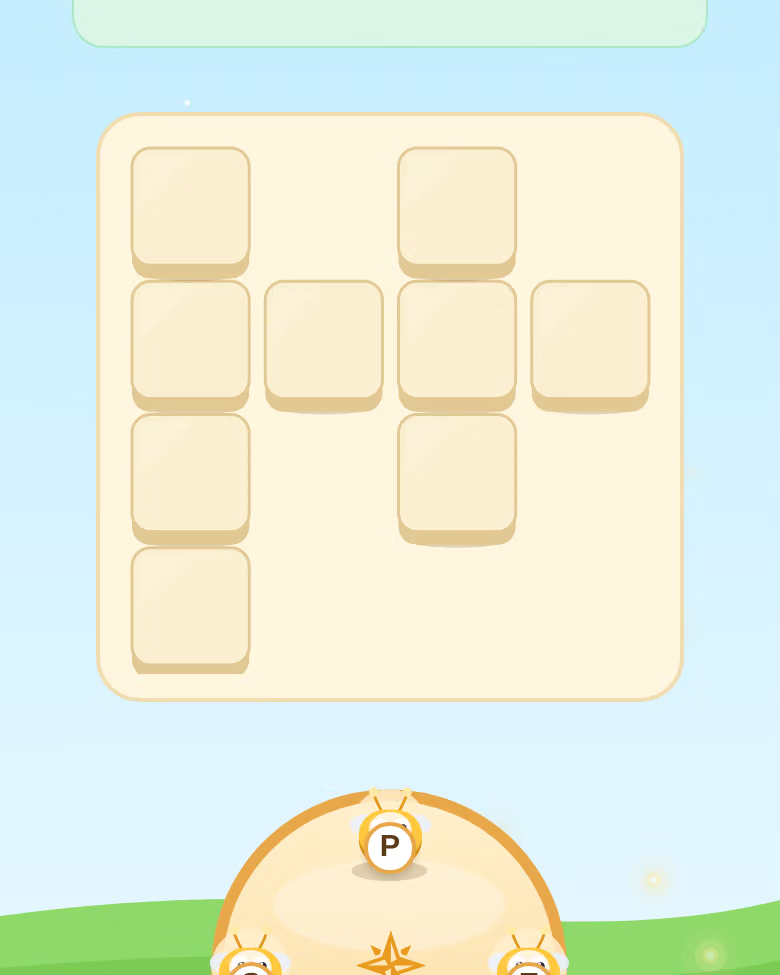
How to play Quill
- Step 1. Read the goal before making your first move. In Quill, the objective is: Swipe the letter wheel to spell words into a crossword: where words cross, your new word must share the letters already inked. Identify the part of the screen that tells you what to act on, and check it again when the board changes.
- Step 2. Start with the action the rules ask for, then watch the immediate response. Keep the aim in view instead of tapping at random. If a move changes the board, pause long enough to see what is now possible before making the next one.
- Step 3. Continue until the game reports the session result. The exact board and level can change, but the central rule remains the same. If a later level adds pressure or more items, use the first few actions to reorient yourself.
The game screen above is a genuine app capture. It shows the look of the board, but a fresh session can begin with a different arrangement. The instructions inside the game are the final guide for the level you are playing. Read them before committing to a move, particularly when you return after trying a different game.
The skill behind the game
CogDojo groups Quill under Language. The game registry also tags it with word finding, spatial word placement, working memory. Those labels describe the demands inside the game, not a promise that playing it will raise an IQ score or improve a medical condition. A useful way to judge the fit is to play a session and notice which part of the rule holds your attention: keeping a pattern in mind, scanning a board, planning a move, or adjusting when the goal changes.
CogDojo has 48 games across six categories. A category gives you a way to choose the kind of challenge you want today; it is not a clinical score. If you enjoy the central rule here, browse more language games and compare how each one asks you to use that skill.
Tips for your next session
- Treat the rule as a constraint, not a decoration. In this game, swipe the letter wheel to spell words into a crossword: where words cross, your new word must share the letters already inked. The most useful move is the one that advances that specific objective.
- Look one step ahead when there is more than one choice. Ask what the board will look like after your next action, and whether it leaves an easier or harder choice afterwards.
- If you make a mistake, use the feedback to identify what you missed. A wrong move can reveal that you overlooked a cue, chose too quickly, or focused on one part of the screen while the goal had changed.
Do not feel you need to master a whole board on the first attempt. Learn what a valid action looks like, then work on making each one more deliberate. Returning to a game after a break can also help you notice whether the rule itself is clear or whether you need to read the instructions again.
How progress is shown
After a session, CogDojo records your game result and uses play history to show progress over time. The Brain Fitness Index brings the six category ratings into a single view. You should read a change in that number as a change in your CogDojo game performance, not as a diagnosis or a claim about everyday cognition. Comparing recent sessions with your earlier sessions can help you see whether a rule is becoming more familiar. If the app does not have enough real comparison data for an age bracket, it shows a calibrating state rather than inventing a percentile.
Results are most useful as a record of your own practice. A high score in one session can be satisfying, but the trend across sessions says more about how consistently you are playing this particular game. You can explore CogDojo's methodology before joining the waitlist.
Questions about Quill
How do you play Quill?
Swipe the letter wheel to spell words into a crossword: where words cross, your new word must share the letters already inked.
What skill does Quill practice?
CogDojo lists Quill under Language, with word finding, spatial word placement, working memory as the game-specific demands.
Can I play Quill for free?
Yes. Quill is in CogDojo's free tier. Visit the Google Play listing for Android availability.
Play Quill on Android.
CogDojo is available on Google Play.
Start free